
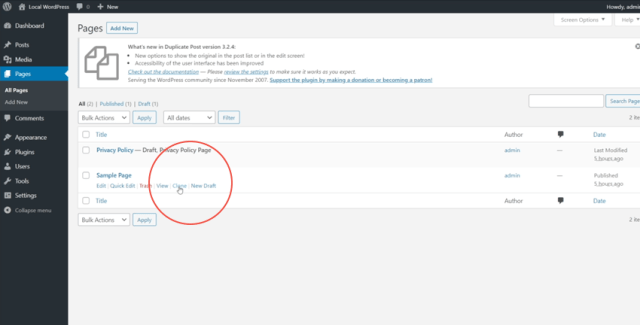
Clicking on Clone will create a duplicate of the page which will appear in the list there and then. Clicking on New Draft will create a new page draft and redirect you immediately to the page editor to work on it.
This plugin also works with WordPress posts, in exactly the same way.
Conclusion
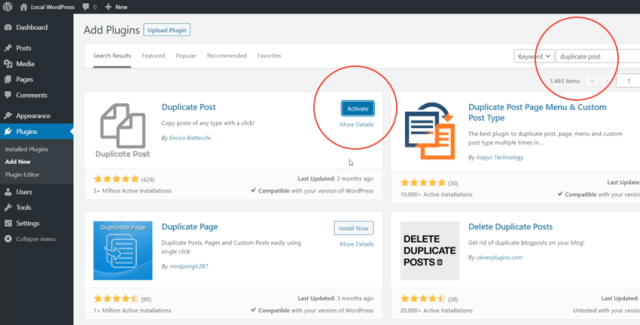
And that’s how you duplicate a page in WordPress! If you want to quickly create a duplicate of a page or a post, along with all its metadata, download the Duplicate Post plugin and you’re good to go!